

Microsoft is giving Copilot a much larger role in the way people work, pushing the AI assistant beyond simple questions and answers. The company’s latest overhaul brings Word, Excel and PowerPoint into Copilot while adding new capabilities for coding and autonomous AI agents. The changes are designed to let users create documents, build software, manage tasks and delegate work from a more unified environment. It marks a significant shift in Microsoft’s ambitions for Copilot as the company competes for a larger share of the rapidly expanding AI assistant market.
Copilot Is Becoming a Central Workplace Hub

Microsoft is moving Copilot well beyond its original chatbot role by turning it into a broader place to get work done. The redesigned experience brings Chat and Cowork together under Home while also putting Word, Excel and PowerPoint directly inside Copilot. Users can create or update editable documents, spreadsheets and presentations while staying within the Copilot environment, with changes synchronized with the corresponding Office applications. The idea is to reduce the constant switching between tools and let users move from asking a question to producing a finished piece of work in the same place.
Code Lets More People Build Software
The biggest expansion may be Copilot’s new Code capability, which is designed to let users create applications, dashboards and other software simply by describing what they want in natural language. Microsoft says Code is powered by the same underlying technology as GitHub Copilot, bringing software-building capabilities into the broader Copilot experience. It is particularly notable because the company is positioning the tool for people who may not be professional developers. Code is rolling out through Microsoft’s Frontier program, with early-access availability followed by previews for Microsoft 365 Premium and Pro subscribers later in 2026.
Autopilot Can Keep Working Without You

Copilot is also gaining a more independent side through Autopilot, an AI agent that Microsoft describes as persistent and proactive. The capability evolved from the Scout agent announced earlier in the year and is designed to continue working on tasks even when the user is away from the computer. For businesses, Microsoft has focused heavily on control: Autopilot can have its own identity in an organization’s directory and operate with permissions that administrators or users can manage. Those controls are intended to address concerns around security, compliance and governance as AI agents begin performing work rather than simply answering questions.
Office Files Can Stay Inside Copilot
The new setup also changes how Copilot interacts with Microsoft’s familiar productivity applications. Word, Excel and PowerPoint are being integrated directly into the Copilot experience, allowing users to create and edit real files without repeatedly moving between separate applications. Microsoft says users can ask Copilot to draft a document, model a budget or create a presentation, then continue refining the result while working alongside the conversation. The files remain synchronized with the Office applications, so edits do not require users to rebuild documents or maintain multiple disconnected versions.
Microsoft Wants Copilot to Do More Than Chat
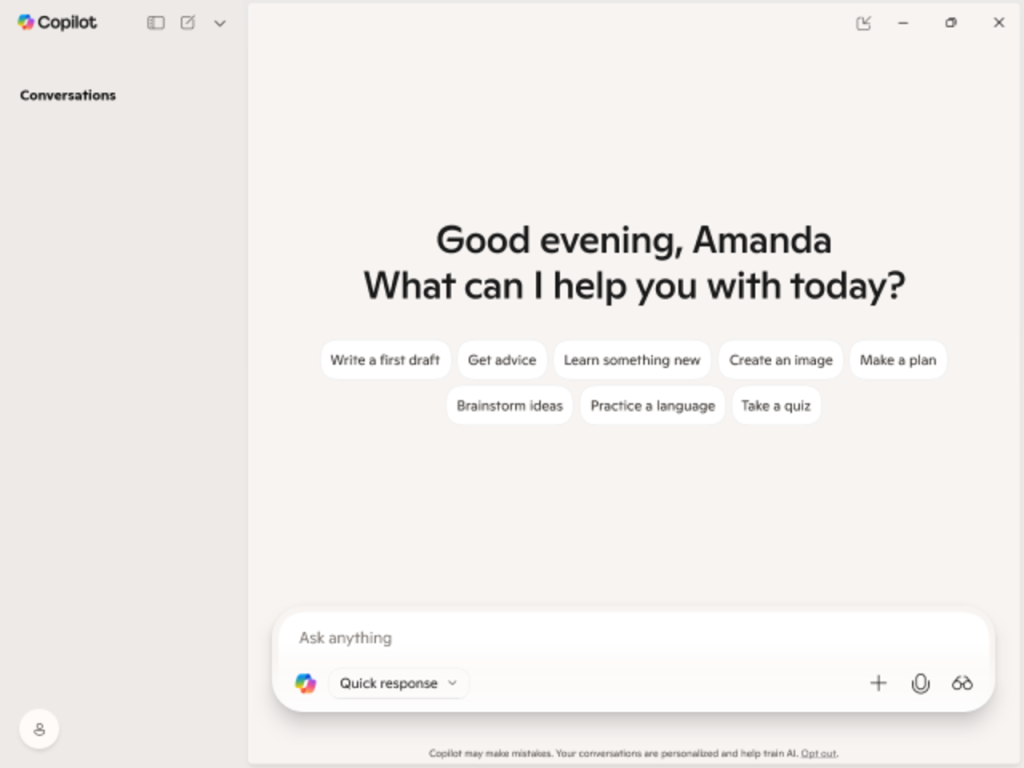
The larger strategy is clear: Microsoft wants Copilot to become an environment for asking questions, completing tasks, delegating work, building software and automating processes. The company is also adding tools aimed at helping organizations understand and manage AI-related costs, an increasingly important issue as employees use more AI services. With Home, Code and Autopilot combined with Office integration, Microsoft is trying to make Copilot useful across a much wider range of workplace activities while addressing the security, governance and cost concerns that come with giving AI more responsibility. The expansion also puts Microsoft in a more direct contest with AI platforms such as ChatGPT and Claude.